Blog

  • How to Build a Profitable Coworking Space in 2024

    How to Build a Profitable Coworking Space in 2024

    Starting a coworking space sounds like a dream business. You get to create a vibrant community, help remote workers and startups thrive, and build recurring revenue. But turning that vision into actual profit takes more than just renting an office and buying some desks. You need a solid plan, smart financial decisions, and a clear understanding of what makes members stay and pay month after month.

    Key Takeaway

    Launching a profitable coworking space requires strategic location selection, diversified revenue streams, and community-focused design. Success depends on understanding your target market, optimizing space utilization, controlling operational costs, and creating an environment that keeps members engaged. Most profitable spaces blend flexible memberships with additional services like meeting rooms, events, and partnerships that generate income beyond basic desk rentals.

    Understanding the coworking business model

    Coworking spaces make money primarily through memberships. Members pay monthly fees for access to desks, offices, meeting rooms, and amenities. But the most successful operators don’t stop there.

    The traditional model offers three main membership tiers. Hot desks let members work anywhere in the open space. Dedicated desks give someone their own spot. Private offices serve teams that need privacy and branding space.

    Each tier commands different pricing. Hot desks might run $200 to $400 monthly in mid-sized cities. Dedicated desks typically cost $300 to $600. Private offices can range from $800 to $3,000 depending on size and location.

    But memberships alone rarely cover all costs in the first year. Smart operators add revenue streams that use existing resources. Meeting room rentals, event hosting, mail handling, printing services, and coffee bars all contribute to the bottom line.

    The key is understanding your break-even point. Calculate your total monthly costs including rent, utilities, staff, insurance, and maintenance. Then determine how many members at each tier you need to cover those expenses and generate profit.

    Choosing the right location and space

    How to Build a Profitable Coworking Space in 2024 — image 1

    Location determines everything. Pick wrong and you’ll struggle to fill desks no matter how beautiful your space looks.

    Target areas with high concentrations of freelancers, remote workers, and small startups. Downtown business districts work well, but so do neighborhoods near universities or residential areas with limited home office options.

    Look for spaces between 3,000 and 10,000 square feet for your first location. Smaller spaces limit revenue potential. Larger ones create too much overhead before you’ve proven the concept.

    Accessibility matters more than prestige. Members need easy parking or public transit access. Ground floor or elevator access beats third floor walk-ups. Natural light, high ceilings, and good ventilation make spaces feel premium without premium costs.

    Lease terms should give you flexibility. Negotiate for shorter initial terms with renewal options. Some landlords will offer tenant improvement allowances or reduced rent during buildout. Use that leverage.

    Calculate your rent to revenue ratio carefully. Your base rent should not exceed 30% of projected revenue at full occupancy. That leaves room for other expenses and profit margins.

    Designing for profitability and community

    Layout directly impacts how many paying members you can accommodate. But cramming desks together destroys the experience that makes coworking valuable.

    Plan for 60 to 80 square feet per hot desk when accounting for circulation space, amenities, and common areas. Dedicated desks need similar square footage. Private offices require 100 to 150 square feet per person.

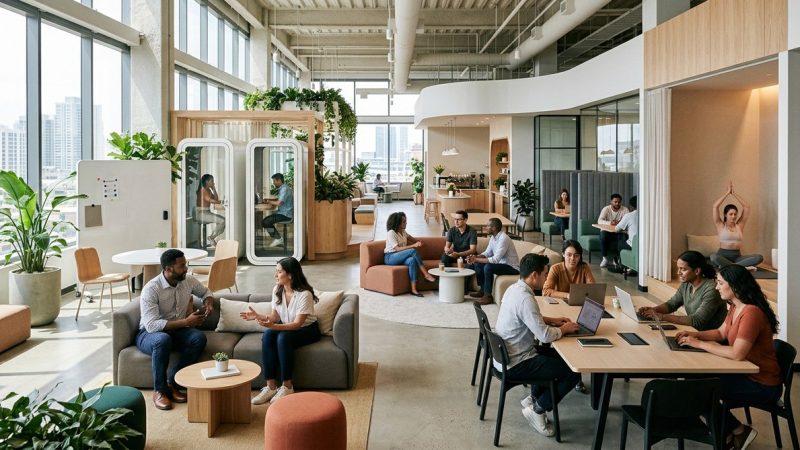
    Create distinct zones for different work styles. Open areas for collaboration. Quiet zones for focused work. Phone booths for calls. Lounge areas for breaks. This variety attracts diverse members and justifies premium pricing.

    Invest in quality fundamentals before fancy extras. Fast, reliable wifi is non-negotiable. Comfortable chairs prevent complaints and health issues. Adequate power outlets at every seat save frustration. Good lighting reduces eye strain and creates better ambiance.

    Meeting rooms generate significant revenue but require careful planning. A space with 50 desks should have at least two meeting rooms that seat 4 to 6 people and one larger room for 10 to 12. Members book these by the hour, creating income streams independent of membership fees.

    Storage lockers, phone booths, and printing stations can all generate additional monthly fees. Price these add-ons at $20 to $50 monthly to boost average revenue per member without major cost increases.

    Building multiple revenue streams

    How to Build a Profitable Coworking Space in 2024 — image 2

    Successful coworking spaces rarely depend on membership fees alone. Diversification protects you when occupancy dips and maximizes profit when it’s high.

    Here are proven revenue streams beyond basic memberships:

    • Meeting room rentals to non-members at $25 to $75 per hour
    • Day passes for occasional workers at $20 to $40 per day
    • Virtual office services including mail handling and business addresses
    • Event hosting for workshops, networking sessions, and corporate meetings
    • Beverage and snack sales through vending, coffee bars, or partnerships
    • Printing and office supply services at modest markups
    • Sponsored community events where local businesses pay for exposure
    • Affiliate partnerships with service providers members need

    Each stream requires minimal additional infrastructure but compounds your income. A space earning $15,000 monthly from memberships might add $3,000 to $5,000 from these supplementary sources.

    The table below shows how different revenue streams compare in terms of setup effort and profit potential:

    Revenue Stream Setup Effort Monthly Profit Potential Best For
    Hot desk memberships Medium $5,000 to $15,000 Core revenue foundation
    Private offices Medium $3,000 to $10,000 Stable, predictable income
    Meeting room rentals Low $1,000 to $3,000 Maximizing existing space
    Day passes Low $500 to $1,500 Filling empty capacity
    Event hosting Medium $1,000 to $4,000 Community building and income
    Virtual offices Low $500 to $2,000 Passive recurring revenue
    Coffee and snacks Medium $300 to $1,000 Convenience and margins

    Managing costs without sacrificing quality

    Profitability comes from both revenue and cost control. Cut too much and you lose the premium feel that justifies your pricing. Overspend and margins disappear.

    Your three largest expenses will be rent, utilities, and staff. Rent is fixed, so negotiate hard upfront. Utilities can be managed through energy-efficient lighting, smart thermostats, and member education about conservation.

    Staffing presents the biggest opportunity for optimization. Start lean. One community manager can handle 50 to 75 members. Add part-time help for reception and events as you grow. Avoid hiring full-time staff until you’re consistently at 70% occupancy.

    Technology reduces labor costs significantly. Automated access control systems eliminate the need for constant reception coverage. Booking software lets members reserve meeting rooms without staff intervention. Accounting platforms track payments and send automated reminders.

    Furnish strategically. Buy quality chairs and desks that last years, not months. But skip expensive artwork and decorative items initially. Members care more about function than aesthetics in early stages.

    Negotiate with suppliers for volume discounts on coffee, cleaning supplies, and paper goods. Join buying groups with other coworking operators to increase purchasing power.

    Maintenance costs surprise new operators. Budget 5 to 10% of revenue for ongoing repairs, deep cleaning, equipment replacement, and unexpected fixes.

    Marketing your space to ideal members

    You can build the perfect coworking space, but it won’t generate profit sitting empty. Marketing fills desks and keeps them occupied.

    Start marketing before you open. Build a website and social media presence three months ahead of launch. Collect email addresses from interested prospects. Offer founding member discounts to create urgency and initial occupancy.

    Your ideal members aren’t everyone who works remotely. Define your niche clearly. Are you targeting tech startups, creative professionals, consultants, or remote employees from larger companies? Each group has different needs and responds to different messaging.

    Content marketing builds credibility and attracts organic traffic. Write about productivity tips, remote work strategies, and local business resources. This positions you as a community leader, not just a space landlord.

    Partner with local businesses that serve your target market. Accountants, lawyers, web designers, and business coaches all work with your ideal members. Cross-promote through referral arrangements where both parties benefit.

    Tours convert prospects into members. Make booking a tour effortless through your website. Train staff to highlight community benefits, not just amenities. People join coworking spaces for connection as much as desks.

    Retention matters more than acquisition. A 5% increase in member retention can increase profits by 25 to 95%. Focus on community building, regular events, and personal relationships that make leaving feel like a loss.

    Creating financial projections that work

    Numbers tell you whether your coworking space idea makes financial sense before you sign a lease.

    Start with a realistic occupancy ramp-up timeline. Most spaces take 12 to 18 months to reach 80% occupancy. Plan for 20% occupancy in month one, adding 5 to 10% monthly as marketing gains traction.

    Your startup costs will include:

    1. Security deposit and first month’s rent
    2. Buildout and renovation expenses
    3. Furniture and equipment purchases
    4. Technology infrastructure and software
    5. Initial marketing and branding costs
    6. Legal and licensing fees
    7. Working capital for the first three to six months

    Total startup costs typically range from $50,000 to $200,000 depending on space size and condition. Undercapitalization kills more coworking spaces than bad locations.

    Monthly operating expenses should account for:

    • Base rent and common area maintenance fees
    • Utilities including internet, electricity, water, and gas
    • Staff salaries and benefits
    • Insurance covering liability and property
    • Marketing and advertising costs
    • Software subscriptions for booking and management
    • Cleaning and maintenance services
    • Office supplies and member amenities
    • Reserve fund for unexpected expenses

    Calculate your break-even occupancy rate. If monthly expenses total $12,000 and average revenue per member is $300, you need 40 paying members to break even. Add desired profit margins on top of that baseline.

    “The biggest mistake new coworking operators make is underestimating how long it takes to reach profitable occupancy. Build a financial cushion that lets you operate for at least 12 months below break-even. That runway gives you time to build community and reputation without panic decisions.” – Industry consultant with 15 years managing shared workspaces

    Avoiding common profitability mistakes

    Learning from others’ mistakes saves money and frustration. These errors repeatedly sink coworking ventures.

    Overbuilding before proving demand wastes capital. Start with essential amenities. Add premium features after you’ve validated the market and achieved consistent occupancy.

    Underpricing to compete destroys margins. If competitors charge $250 for hot desks, don’t drop to $150 hoping volume compensates. Lower prices attract price-sensitive members who leave for the next cheap option. Focus on value, not lowest cost.

    Ignoring community building turns your space into a commodity. Members stay for relationships and belonging. Host regular events, facilitate introductions, and create communication channels that foster connection.

    Poor member screening causes problems. One disruptive member can drive away ten good ones. Implement application processes that filter for cultural fit, not just ability to pay.

    Neglecting financial tracking leads to cash flow surprises. Use accounting software from day one. Review financial statements monthly. Track metrics like occupancy rate, revenue per square foot, and customer acquisition cost.

    Expanding too fast before solidifying operations creates chaos. Master one location before opening a second. Prove your systems work and generate profit consistently for at least 12 months.

    Failing to build reserves for slow periods creates crisis situations. Coworking can have seasonal fluctuations. Budget conservatively and maintain three to six months of operating expenses in reserve.

    Legal and operational foundations

    Proper legal structure protects your personal assets and provides tax advantages. Most coworking operators choose LLC or S-corp structures. Consult an attorney and accountant to determine what fits your situation.

    Insurance requirements include general liability, property coverage, and workers compensation if you have employees. Some landlords require specific coverage levels. Budget $3,000 to $8,000 annually for comprehensive protection.

    Licensing varies by location. You’ll likely need a business license and may need special permits for serving food or alcohol at events. Check local zoning to confirm coworking is permitted in your chosen space.

    Membership agreements protect both you and members. These contracts should specify payment terms, cancellation policies, acceptable use guidelines, and liability limitations. Have an attorney review your template before using it.

    Payment processing needs to be automated and reliable. Use platforms that handle recurring billing, send payment reminders, and integrate with your accounting software. Failed payments happen. Have clear policies for handling them.

    Access control systems let members enter 24/7 without staffing those hours. Key cards, smartphone apps, or keypad codes work well. Choose systems that let you deactivate access immediately when memberships end.

    Technology that drives efficiency

    The right software reduces administrative burden and improves member experience. But too many tools create complexity and subscription costs.

    Essential technology includes:

    1. Coworking management software for bookings, billing, and member communication
    2. Accounting platform for financial tracking and reporting
    3. Access control system for secure entry
    4. Fast business-grade internet with backup connectivity
    5. Wifi network management for stability and security
    6. Booking system for meeting rooms and resources

    Integrated platforms that handle multiple functions cost more upfront but save time and reduce errors from manual data transfer between systems.

    Member communication platforms create community beyond physical presence. Slack channels, member apps, or simple email newsletters keep people connected and informed about events, updates, and opportunities.

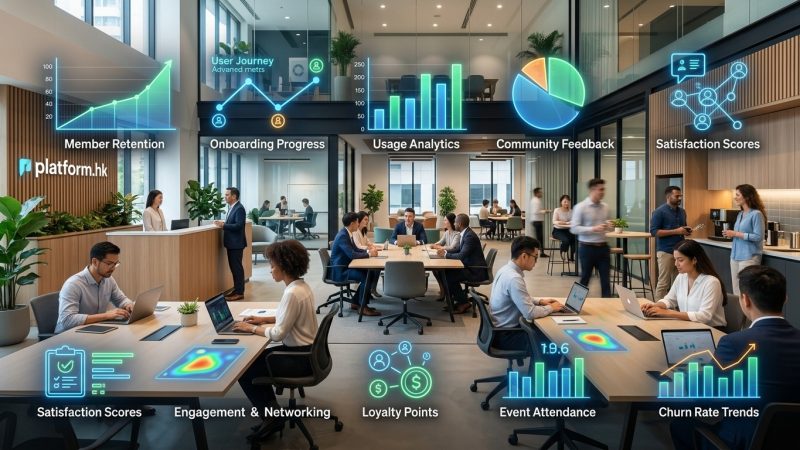
    Analytics help you make data-driven decisions. Track which membership types sell best, which hours see peak usage, which marketing channels convert, and which revenue streams perform strongest.

    Automation handles repetitive tasks. Set up automatic billing, payment reminders, access expiration, and welcome sequences for new members. This frees staff to focus on relationship building instead of administrative work.

    Building a space that keeps members coming back

    Profitability depends on retention as much as acquisition. Long-term members provide stable revenue and reduce marketing costs.

    Community is your competitive advantage. Large corporate operators can match your amenities, but they struggle to create genuine connection. Host regular events, facilitate introductions, and create traditions that members look forward to.

    Responsiveness builds trust. When members report issues, address them promptly. When they suggest improvements, consider them seriously. When they achieve milestones, celebrate with them.

    Flexibility attracts diverse members. Some need quiet focus. Others thrive on collaboration. Some work 9 to 5. Others prefer evenings. Design your space and policies to accommodate different work styles.

    Cleanliness and maintenance show you care. Nothing drives members away faster than dirty bathrooms, broken equipment, or neglected common areas. Invest in regular professional cleaning and address maintenance issues immediately.

    Professional development adds value beyond desks. Bring in speakers, organize skill-sharing sessions, and create mentorship opportunities. Members who grow their businesses in your space become loyal advocates.

    Feedback loops identify problems before they cause departures. Regular surveys, casual conversations, and suggestion systems give you early warning about issues. Act on feedback to show members their voices matter.

    Your path to profitable coworking starts with preparation

    Starting a profitable coworking space is absolutely achievable, but it requires more than enthusiasm and a lease. Success comes from thorough market research, realistic financial planning, strategic design decisions, and relentless focus on community building. The operators who thrive treat their spaces as businesses first and passion projects second, carefully managing both revenue growth and cost control while creating environments where members genuinely want to spend their workdays.

    Take time to build solid foundations before opening your doors. Test your financial assumptions. Visit successful spaces in other cities. Talk to potential members about what they actually need. The investment you make in planning pays dividends in profitability and sustainability for years to come.

  • 15 Essential Features Every Modern Workspace Should Have in 2024

    15 Essential Features Every Modern Workspace Should Have in 2024

    The office is no longer just a place to sit and work. Today’s employees expect spaces that adapt to their needs, support their wellbeing, and make collaboration feel natural. If your workspace still looks like it did five years ago, you’re already behind.

    Key Takeaway

    Modern workspace features in 2024 prioritize flexibility, technology integration, and employee wellbeing. The most successful offices combine adaptable furniture, acoustic privacy, biophilic design, and smart systems. These elements attract top talent, reduce turnover, and create environments where people actually want to work. Implementing even a few of these features can dramatically improve productivity and satisfaction across your team.

    The shift to hybrid work changed everything. Employees now compare your office to their home setup, their favorite coffee shop, and the coworking space down the street. You’re competing with all of those options every single day.

    This guide covers the 15 essential features that define modern workspaces in 2024. Some require investment. Others just need smart planning. All of them address what employees actually care about when they choose to come into the office.

    Flexible furniture that moves with your team

    Fixed desks and permanent cubicles don’t match how teams work anymore. Modern offices need furniture that adapts throughout the day.

    Height-adjustable desks let people switch between sitting and standing without losing momentum. Mobile whiteboards move between team areas. Modular seating creates different configurations for different meetings.

    The goal is simple: your furniture should support the work, not dictate it.

    Look for pieces with wheels, folding mechanisms, and lightweight materials. When you can reconfigure a space in 10 minutes instead of 10 hours, you can actually respond to how your team works.

    Acoustic privacy in open environments

    15 Essential Features Every Modern Workspace Should Have in 2024 — image 1

    Open offices failed because they ignored one fundamental truth: people need to concentrate. The modern workspace features of 2024 solve this with intentional acoustic design.

    Phone booths give people a place for private calls without booking a conference room. Acoustic panels on walls and ceilings absorb sound instead of bouncing it around. Soft materials in furniture and flooring reduce ambient noise.

    “The number one complaint we hear from employees in open offices is noise. Solving acoustic issues isn’t optional anymore. It’s the difference between people choosing to work from home or coming into the office.” — Workplace design consultant

    These solutions don’t require walls. They just require thinking about sound as seriously as you think about lighting or temperature.

    Technology that actually works

    Nothing frustrates employees faster than technology that fails during important moments. Modern workspaces need reliable, intuitive systems.

    Your essential technology checklist:

    • Wireless presentation systems that connect in seconds
    • Video conferencing setups with quality cameras and microphones
    • Fast, reliable WiFi throughout the entire space
    • Enough power outlets and USB ports at every workstation
    • Cloud-based booking systems for desks and meeting rooms
    • Digital wayfinding for larger offices

    The test is simple: can a new employee or visitor use your technology without asking for help? If not, it’s too complicated.

    Biophilic design elements

    15 Essential Features Every Modern Workspace Should Have in 2024 — image 2

    Bringing nature indoors isn’t just aesthetic. It reduces stress, improves air quality, and helps people focus.

    Plants are the obvious starting point, but biophilic design goes further. Natural light, wood textures, water features, and views of outdoor spaces all contribute.

    Even small touches make a difference. A living wall in the lobby. Planters between desks. Wood-grain finishes instead of plain plastic. Natural colors that mirror outdoor environments.

    Studies consistently show that employees in spaces with biophilic elements report higher satisfaction and lower stress levels.

    Dedicated collaboration zones

    Hybrid teams need spaces designed specifically for group work. Not just meeting rooms, but areas where collaboration feels natural.

    These zones should include:

    1. Large displays or projectors for sharing work
    2. Comfortable seating arranged to encourage discussion
    3. Writable surfaces on walls or mobile boards
    4. Access to power for multiple devices
    5. Acoustic treatment so conversations don’t disturb nearby workers

    The furniture should be movable. The technology should be simple. The space should feel different from individual work areas.

    When collaboration zones work well, people use them constantly. When they don’t, they become expensive storage rooms.

    Focus rooms for deep work

    The flip side of collaboration is concentration. Modern offices need quiet spaces where people can think without interruption.

    Focus rooms differ from traditional offices. They’re smaller, bookable by the hour, and available to everyone. Think of them as the opposite of collaboration zones.

    Essential features include:

    • Sound isolation from the rest of the office
    • Comfortable seating for extended periods
    • Adjustable lighting to reduce eye strain
    • Minimal distractions or visual clutter
    • A door that actually closes

    These rooms should be easy to book and impossible to monopolize. Set time limits. Use scheduling software. Make sure everyone has equal access.

    Wellness amenities beyond the basics

    Coffee and snacks are table stakes now. Modern workspace features in 2024 address physical and mental health more comprehensively.

    Consider adding:

    • Standing desk converters or full standing desks
    • Ergonomic chairs with proper lumbar support
    • Meditation or quiet rooms
    • Bike storage and shower facilities
    • Air purification systems
    • Circadian lighting that adjusts throughout the day

    The ROI shows up in reduced sick days, lower healthcare costs, and better retention. Employees notice when you invest in their wellbeing.

    Smart climate control

    Temperature complaints are endless in traditional offices. Some people are always cold. Others are always hot. Centralized systems can’t make everyone happy.

    Modern solutions include:

    • Zone-based climate control
    • Personal desk fans or heaters
    • Operable windows where building codes allow
    • Smart thermostats that learn patterns
    • Air quality monitoring with automatic adjustments

    When people can adjust their immediate environment, complaints drop dramatically.

    Multi-purpose spaces

    Real estate costs too much to dedicate rooms to single functions. The best modern offices create spaces that transform.

    A training room becomes an event space. A large meeting room divides into smaller breakout areas. A cafeteria hosts all-hands meetings.

    This requires:

    1. Movable furniture that stores easily
    2. Flexible technology connections
    3. Acoustic solutions that adapt
    4. Storage for different configurations

    Think about how each space gets used throughout the week. If a room sits empty most of the time, it needs to serve multiple purposes.

    Inclusive design considerations

    Modern workspaces need to work for everyone, regardless of physical ability, neurodiversity, or working style.

    Design Element Inclusive Feature Why It Matters
    Doorways Minimum 36-inch width Wheelchair accessibility
    Lighting Adjustable brightness and color temperature Supports different vision needs and reduces migraines
    Acoustics Quiet zones and sound masking Helps neurodivergent employees concentrate
    Furniture Range of heights and styles Accommodates different body types and preferences
    Signage Clear, high-contrast, multiple formats Supports various reading abilities

    Inclusive design benefits everyone, not just people with specific needs. Curb cuts help wheelchair users, but also parents with strollers and delivery workers with carts.

    Sustainable materials and practices

    Employees increasingly care about environmental impact. Your workspace should reflect those values.

    Choose furniture made from recycled or sustainably sourced materials. Install LED lighting. Use low-VOC paints and finishes. Create robust recycling and composting programs.

    Energy-efficient HVAC systems cost more upfront but save money over time. Same with high-quality insulation and smart building controls.

    Sustainability isn’t just good ethics. It’s good business. Companies with strong environmental practices attract better talent and often qualify for tax incentives.

    Touchdown spaces for hybrid workers

    Not everyone needs an assigned desk anymore. Touchdown spaces give hybrid workers a place to land when they come in.

    These areas include:

    • Comfortable seating with laptop tables
    • Power and data connections
    • Nearby lockers for personal storage
    • Proximity to collaboration areas
    • Coffee or refreshments

    Touchdown spaces work best near building entrances and common areas. People using them typically stay for a few hours, not a full day.

    Kitchen and social areas that build community

    The best conversations often happen away from desks. Modern offices create inviting spaces where people naturally gather.

    Your kitchen should be more than a microwave and refrigerator. Consider:

    • Quality coffee equipment
    • Comfortable seating for small groups
    • Natural light
    • Games or activities
    • Displays for company updates or employee recognition

    These spaces build relationships that make collaboration easier. When people know each other personally, they communicate better professionally.

    Secure storage solutions

    In a flexible office, people need places to store personal items and work materials. Traditional filing cabinets don’t cut it anymore.

    Modern storage includes:

    • Personal lockers that can be reserved or assigned
    • Secure areas for valuables
    • Shared storage for team materials
    • Mobile pedestals that move with employees
    • Digital document management to reduce paper

    Storage seems boring until you don’t have it. Then it becomes a daily frustration.

    Branding that reinforces culture

    Your office should feel like your company. Modern workspace features in 2024 include intentional branding that goes beyond logos on walls.

    Think about:

    • Colors that match your brand identity
    • Artwork from local artists or employees
    • Displays showing company achievements
    • Spaces named after company values
    • Design elements that tell your story

    This isn’t about ego. It’s about creating an environment where employees feel connected to something larger than their individual tasks.

    Making these features work together

    The magic happens when these elements complement each other. Biophilic design improves the social area. Smart climate control makes focus rooms more comfortable. Inclusive design benefits everyone in collaboration zones.

    Start with what matters most to your team. Survey employees. Watch how they use current spaces. Identify the biggest pain points.

    You don’t need to implement everything at once. Prioritize based on:

    1. Impact on employee satisfaction
    2. Cost and complexity
    3. Alignment with your company culture
    4. Space constraints and opportunities

    Some changes cost almost nothing. Rearranging furniture, adding plants, or creating new room booking policies can happen immediately. Others require budget and planning.

    Common mistakes to avoid

    Even with good intentions, workspace projects often stumble. Watch out for these issues:

    Mistake Why It Happens How to Avoid It
    Copying another company’s design Saw a cool office tour online Design for your actual team and culture
    Ignoring employee input Assuming you know what people need Survey and interview before making decisions
    Prioritizing aesthetics over function Wanting Instagram-worthy spaces Test usability before committing
    Underestimating acoustic needs Not understanding how sound travels Hire an acoustic consultant
    Insufficient power and data Forgetting about technology needs Plan for more connections than you think necessary

    The worst mistake is creating a beautiful space that people don’t actually want to use. Function always beats form.

    Your workspace reflects your priorities

    Every decision about your office sends a message. Open collaboration areas say you value teamwork. Focus rooms say you respect concentration. Wellness amenities say you care about employee health.

    These modern workspace features for 2024 aren’t trends that will disappear next year. They address fundamental human needs: flexibility, comfort, connection, and control over your environment.

    Start small if you need to. Add acoustic panels. Bring in plants. Create one great focus room. Each improvement makes your office more competitive in the fight for talent.

    The employees who have options will choose workspaces that support how they actually work. Make sure yours is one of them.

  • 7 Science-Backed Productivity Hacks Every Remote Worker Should Know

    7 Science-Backed Productivity Hacks Every Remote Worker Should Know

    Working from home sounds perfect until you realize your couch is too comfortable, your fridge is too close, and your brain thinks 3 PM is nap time. Remote work gives you freedom, but it also removes the structure that kept you productive in an office. The good news? Science has figured out what actually works.

    Key Takeaway

    Remote workers can dramatically improve their productivity by understanding their natural energy rhythms, creating physical boundaries between work and life, taking strategic breaks, and using science-backed techniques like task batching and the Pomodoro method. These evidence-based strategies help you maintain focus, avoid burnout, and produce better work without sacrificing your mental health or personal time in a home office environment.

    Work With Your Energy, Not Against It

    Your brain doesn’t run at the same speed all day. Research from chronobiology shows that most people experience peak cognitive performance during specific windows. For about 75% of adults, that window hits between 9 AM and 11 AM. Your prefrontal cortex is fresh, cortisol levels are optimal, and decision-making feels easier.

    Here’s the mistake most remote workers make. They treat every hour the same. They answer emails at 10 AM when their brain could solve complex problems. Then they try to write a proposal at 4 PM when their glucose levels have tanked.

    Track your energy for one week. Note when tasks feel effortless and when everything feels like wading through mud. Then build your schedule around those patterns, not arbitrary meeting times.

    Schedule your hardest work during your peak hours. Save administrative tasks, email responses, and routine updates for your energy valleys. This simple shift can double your output without working more hours.

    Create Physical Boundaries That Your Brain Recognizes

    7 Science-Backed Productivity Hacks Every Remote Worker Should Know - Illustration 1

    Your brain learns through association. When you work from your bed, your brain starts associating your bed with stress and deadlines. When you eat lunch at your desk, your brain never fully disengages from work mode.

    A Stanford study found that remote workers who maintained a dedicated workspace reported 32% less work-related anxiety and better sleep quality. The boundary doesn’t need to be a separate room. It needs to be consistent.

    Set up a specific spot that means work. It could be one corner of your dining table, a folding desk in your bedroom, or a chair that faces away from your TV. The location matters less than the consistency.

    Add a physical ritual to mark the transition. Put on shoes you only wear for work. Light a specific candle. Play the same playlist. These cues tell your brain it’s time to focus.

    When work ends, physically leave that space. Close your laptop, turn off your monitor, and move to a different room. Your evening self will thank your working self for maintaining that separation.

    Use the Pomodoro Technique, But Make It Yours

    The Pomodoro Technique has been around since the 1980s, but neuroscience has confirmed why it works. Your brain’s prefrontal cortex can maintain intense focus for about 25 to 45 minutes before it needs a reset.

    Here’s the basic structure:

    1. Choose one specific task
    2. Set a timer for 25 minutes
    3. Work without switching tasks or checking notifications
    4. Take a 5-minute break when the timer ends
    5. After four rounds, take a longer 15 to 30 minute break

    The method works because it creates artificial urgency. When you know you only have 25 minutes, your brain stops procrastinating and starts producing. The breaks prevent mental fatigue before it tanks your performance.

    Customize the timing to match your energy patterns. Some people focus better in 45-minute blocks. Others need 15-minute sprints. Test different intervals for a week and track which produces your best work.

    During breaks, move away from your screen. Walk to another room. Do ten pushups. Make tea. Look out a window. The break only works if you actually disengage.

    Batch Similar Tasks Together

    7 Science-Backed Productivity Hacks Every Remote Worker Should Know - Illustration 2

    Task switching destroys productivity. Research from the University of California found that it takes an average of 23 minutes to fully regain focus after switching tasks. If you check email five times per hour, you’re losing almost two hours of productive time.

    Your brain uses different neural networks for different types of work. Writing uses different circuits than analyzing data. Creative brainstorming activates different regions than responding to messages. Every time you switch task types, your brain needs to power down one network and boot up another.

    Group similar tasks into dedicated blocks. Handle all your email in two or three scheduled sessions instead of constantly monitoring your inbox. Batch all your calls on specific afternoons. Do all your content creation in one focused morning.

    Here’s what a batched schedule might look like:

    • 9:00 to 11:00: Deep work on your most important project
    • 11:00 to 11:30: Email and Slack responses
    • 11:30 to 12:30: Meetings and calls
    • 12:30 to 1:30: Lunch and actual rest
    • 1:30 to 3:00: Secondary projects or collaborative work
    • 3:00 to 3:30: Administrative tasks and planning
    • 3:30 to 5:00: Learning, reading, or lighter creative work

    The specific times matter less than grouping similar cognitive demands together. Your brain will spend less energy switching gears and more energy doing actual work.

    Move Your Body Every 90 Minutes

    Sitting for extended periods doesn’t just hurt your back. It reduces blood flow to your brain, which directly impacts cognitive function. A study published in the Journal of Applied Physiology found that just two hours of uninterrupted sitting reduced blood flow to the brain by 20%.

    Remote workers sit more than office workers because they skip the walk to the conference room, the trip to a colleague’s desk, and the commute itself. That extra sitting time adds up to measurable decreases in focus and problem-solving ability.

    Set a timer for every 90 minutes. When it goes off, stand up and move for at least two minutes. The movement doesn’t need to be intense. Walk around your home. Do some stretches. Step outside for fresh air.

    The 90-minute interval matches your ultradian rhythm, the natural cycle your body uses to regulate energy and attention throughout the day. Working with this rhythm instead of against it prevents the mid-afternoon crash that derails most remote workers.

    If you want to level up, use movement breaks for specific cognitive benefits. Light cardio like walking or jogging increases blood flow and improves creative thinking. Stretching reduces physical tension that often manifests as mental stress. Strength exercises like pushups or squats provide a quick energy boost.

    Build a Shutdown Ritual That Actually Works

    The biggest hidden cost of remote work is the inability to stop working. When your office is your home, work never really ends. You check email after dinner. You think about projects while watching TV. Your brain never fully disengages.

    Research from the American Psychological Association found that remote workers who lacked clear work boundaries reported 40% higher stress levels and significantly more sleep problems than those with structured shutdown routines.

    Create a specific end-of-day ritual that signals to your brain that work is finished. This needs to be more substantial than just closing your laptop.

    Here’s an effective shutdown sequence:

    1. Review what you accomplished today
    2. Write down your top three priorities for tomorrow
    3. Close all work-related apps and browser tabs
    4. Physically move your laptop out of sight
    5. Change your clothes or wash your hands
    6. Do one non-work activity that marks the transition

    The ritual works because it creates closure. Your brain stops running background processes about unfinished work because you’ve explicitly acknowledged what’s done and what’s next.

    Make the ritual non-negotiable. Do it even on days when you feel like you should keep working. Especially on those days. Consistent shutdown times protect your long-term productivity better than occasional late nights.

    Manage Your Environment Like a Performance Space

    Your physical environment directly impacts your cognitive performance. Studies in environmental psychology have identified specific factors that either enhance or degrade focus, creativity, and stamina.

    Temperature matters more than most people realize. Research shows that cognitive performance peaks between 69 and 72 degrees Fahrenheit. Too cold and your body diverts energy to staying warm. Too hot and your brain slows down to prevent overheating.

    Lighting affects both your circadian rhythm and your immediate alertness. Natural light is ideal, but if that’s not available, use bright white light during peak work hours. Dim, warm lighting signals to your brain that it’s time to wind down, which is terrible for afternoon productivity.

    Sound environment varies by person and task. Some people focus better with complete silence. Others need background noise. White noise or ambient sounds can mask distracting household noises without pulling your attention the way music with lyrics does.

    Here’s a comparison of common environment mistakes and their fixes:

    Common Mistake Why It Hurts Productivity Science-Backed Fix
    Working in pajamas Brain associates clothes with activity level Wear real clothes, even casual ones
    Dim lighting all day Signals rest mode to your circadian system Use bright light during work hours
    Cluttered workspace Visual noise increases cognitive load Clear everything except current task items
    Uncomfortable chair Physical discomfort breaks focus every few minutes Invest in proper seating or use cushions
    Too quiet or too loud Either extreme increases mental effort Match sound level to task difficulty

    Make one environmental change per week. Track whether it improves your focus or energy. Keep the changes that work and drop the ones that don’t.

    Protect Your Social Connection

    Remote work eliminates casual social interaction. You don’t chat by the coffee maker. You don’t overhear interesting conversations. You don’t build relationships through repeated small encounters.

    This isolation isn’t just lonely. It directly impacts your work quality. Research from MIT found that workers with regular social interaction produced more creative solutions and caught more errors in their own work. Social connection literally makes you smarter.

    Schedule social time like you schedule meetings. Video calls with colleagues about non-work topics. Virtual coffee breaks. Coworking sessions where you work alongside others even if you’re not collaborating.

    Join online communities related to your field or interests. Participate in discussions. Ask questions. Share what you’re learning. These interactions provide the professional connection that remote work removes.

    Consider working from a coffee shop, library, or coworking space once or twice a week. The presence of other people, even strangers, can boost your motivation and focus. Researchers call this the “coffee shop effect,” and studies confirm it’s real.

    “The absence of casual workplace interaction doesn’t just affect mood. It affects the quality of our thinking. Our brains evolved to solve problems in groups. When we work in complete isolation, we lose access to one of our most powerful cognitive tools.” — Dr. Susan Pinker, developmental psychologist

    Build connection time into your schedule with the same priority you give to project deadlines. Your productivity depends on it.

    Making These Habits Stick in Your Real Life

    Knowing what works and actually doing it are different challenges. Most productivity advice fails because it ignores the messy reality of building new habits while managing existing responsibilities.

    Start with one technique. Not seven. Pick the one that addresses your biggest current struggle. If you’re exhausted by 2 PM, start with energy management. If you can’t focus for more than ten minutes, try the Pomodoro method. If work bleeds into every evening, build a shutdown ritual first.

    Practice that one technique for two full weeks before adding another. Research on habit formation shows that consistency matters more than perfection. Doing something imperfectly every day beats doing it perfectly twice.

    Track your progress in the simplest way possible. A checkmark on a calendar. A note in your phone. A tally in a notebook. The tracking itself reinforces the behavior and helps you notice what’s actually working.

    Expect resistance from your brain. New habits feel awkward and uncomfortable. That discomfort doesn’t mean the technique isn’t working. It means your brain is adapting to a new pattern. Push through the first week. It gets easier.

    Adjust techniques to fit your life instead of forcing your life to fit the techniques. If 25-minute Pomodoros feel too short, try 40 minutes. If morning isn’t your peak time, schedule deep work for evening. The science provides the framework, but you customize the details.

    Your Home Office Can Actually Work

    Remote work isn’t going away. The flexibility is too valuable and the technology too good. But flexibility without structure leads to burnout, not balance.

    These productivity hacks for remote workers aren’t about squeezing more hours out of your day. They’re about making the hours you work actually count. About finishing your day with energy left over. About producing better work without sacrificing your health or relationships.

    Start tomorrow with one change. Track your energy. Set up a dedicated workspace. Try one Pomodoro session. Build a two-minute shutdown ritual. Pick one thing and do it.

    Your most productive self isn’t hiding behind some perfect system. It’s waiting for you to work with your brain instead of against it.

  • 7 Science-Backed Productivity Hacks Every Remote Worker Should Know

    7 Science-Backed Productivity Hacks Every Remote Worker Should Know

    Working from home sounds perfect until you realize your couch is too comfortable, your fridge is too close, and your brain thinks 3 PM is nap time. Remote work gives you freedom, but it also removes the structure that kept you productive in an office. The good news? Science has figured out what actually works.

    Key Takeaway

    Remote workers can dramatically improve their productivity by understanding their natural energy rhythms, creating physical boundaries between work and life, taking strategic breaks, and using science-backed techniques like task batching and the Pomodoro method. These evidence-based strategies help you maintain focus, avoid burnout, and produce better work without sacrificing your mental health or personal time in a home office environment.

    Work With Your Energy, Not Against It

    Your brain doesn’t run at the same speed all day. Research from chronobiology shows that most people experience peak cognitive performance during specific windows. For about 75% of adults, that window hits between 9 AM and 11 AM. Your prefrontal cortex is fresh, cortisol levels are optimal, and decision-making feels easier.

    Here’s the mistake most remote workers make. They treat every hour the same. They answer emails at 10 AM when their brain could solve complex problems. Then they try to write a proposal at 4 PM when their glucose levels have tanked.

    Track your energy for one week. Note when tasks feel effortless and when everything feels like wading through mud. Then build your schedule around those patterns, not arbitrary meeting times.

    Schedule your hardest work during your peak hours. Save administrative tasks, email responses, and routine updates for your energy valleys. This simple shift can double your output without working more hours.

    Create Physical Boundaries That Your Brain Recognizes

    7 Science-Backed Productivity Hacks Every Remote Worker Should Know — image 1

    Your brain learns through association. When you work from your bed, your brain starts associating your bed with stress and deadlines. When you eat lunch at your desk, your brain never fully disengages from work mode.

    A Stanford study found that remote workers who maintained a dedicated workspace reported 32% less work-related anxiety and better sleep quality. The boundary doesn’t need to be a separate room. It needs to be consistent.

    Set up a specific spot that means work. It could be one corner of your dining table, a folding desk in your bedroom, or a chair that faces away from your TV. The location matters less than the consistency.

    Add a physical ritual to mark the transition. Put on shoes you only wear for work. Light a specific candle. Play the same playlist. These cues tell your brain it’s time to focus.

    When work ends, physically leave that space. Close your laptop, turn off your monitor, and move to a different room. Your evening self will thank your working self for maintaining that separation.

    Use the Pomodoro Technique, But Make It Yours

    The Pomodoro Technique has been around since the 1980s, but neuroscience has confirmed why it works. Your brain’s prefrontal cortex can maintain intense focus for about 25 to 45 minutes before it needs a reset.

    Here’s the basic structure:

    1. Choose one specific task
    2. Set a timer for 25 minutes
    3. Work without switching tasks or checking notifications
    4. Take a 5-minute break when the timer ends
    5. After four rounds, take a longer 15 to 30 minute break

    The method works because it creates artificial urgency. When you know you only have 25 minutes, your brain stops procrastinating and starts producing. The breaks prevent mental fatigue before it tanks your performance.

    Customize the timing to match your energy patterns. Some people focus better in 45-minute blocks. Others need 15-minute sprints. Test different intervals for a week and track which produces your best work.

    During breaks, move away from your screen. Walk to another room. Do ten pushups. Make tea. Look out a window. The break only works if you actually disengage.

    Batch Similar Tasks Together

    7 Science-Backed Productivity Hacks Every Remote Worker Should Know — image 2

    Task switching destroys productivity. Research from the University of California found that it takes an average of 23 minutes to fully regain focus after switching tasks. If you check email five times per hour, you’re losing almost two hours of productive time.

    Your brain uses different neural networks for different types of work. Writing uses different circuits than analyzing data. Creative brainstorming activates different regions than responding to messages. Every time you switch task types, your brain needs to power down one network and boot up another.

    Group similar tasks into dedicated blocks. Handle all your email in two or three scheduled sessions instead of constantly monitoring your inbox. Batch all your calls on specific afternoons. Do all your content creation in one focused morning.

    Here’s what a batched schedule might look like:

    • 9:00 to 11:00: Deep work on your most important project
    • 11:00 to 11:30: Email and Slack responses
    • 11:30 to 12:30: Meetings and calls
    • 12:30 to 1:30: Lunch and actual rest
    • 1:30 to 3:00: Secondary projects or collaborative work
    • 3:00 to 3:30: Administrative tasks and planning
    • 3:30 to 5:00: Learning, reading, or lighter creative work

    The specific times matter less than grouping similar cognitive demands together. Your brain will spend less energy switching gears and more energy doing actual work.

    Move Your Body Every 90 Minutes

    Sitting for extended periods doesn’t just hurt your back. It reduces blood flow to your brain, which directly impacts cognitive function. A study published in the Journal of Applied Physiology found that just two hours of uninterrupted sitting reduced blood flow to the brain by 20%.

    Remote workers sit more than office workers because they skip the walk to the conference room, the trip to a colleague’s desk, and the commute itself. That extra sitting time adds up to measurable decreases in focus and problem-solving ability.

    Set a timer for every 90 minutes. When it goes off, stand up and move for at least two minutes. The movement doesn’t need to be intense. Walk around your home. Do some stretches. Step outside for fresh air.

    The 90-minute interval matches your ultradian rhythm, the natural cycle your body uses to regulate energy and attention throughout the day. Working with this rhythm instead of against it prevents the mid-afternoon crash that derails most remote workers.

    If you want to level up, use movement breaks for specific cognitive benefits. Light cardio like walking or jogging increases blood flow and improves creative thinking. Stretching reduces physical tension that often manifests as mental stress. Strength exercises like pushups or squats provide a quick energy boost.

    Build a Shutdown Ritual That Actually Works

    The biggest hidden cost of remote work is the inability to stop working. When your office is your home, work never really ends. You check email after dinner. You think about projects while watching TV. Your brain never fully disengages.

    Research from the American Psychological Association found that remote workers who lacked clear work boundaries reported 40% higher stress levels and significantly more sleep problems than those with structured shutdown routines.

    Create a specific end-of-day ritual that signals to your brain that work is finished. This needs to be more substantial than just closing your laptop.

    Here’s an effective shutdown sequence:

    1. Review what you accomplished today
    2. Write down your top three priorities for tomorrow
    3. Close all work-related apps and browser tabs
    4. Physically move your laptop out of sight
    5. Change your clothes or wash your hands
    6. Do one non-work activity that marks the transition

    The ritual works because it creates closure. Your brain stops running background processes about unfinished work because you’ve explicitly acknowledged what’s done and what’s next.

    Make the ritual non-negotiable. Do it even on days when you feel like you should keep working. Especially on those days. Consistent shutdown times protect your long-term productivity better than occasional late nights.

    Manage Your Environment Like a Performance Space

    Your physical environment directly impacts your cognitive performance. Studies in environmental psychology have identified specific factors that either enhance or degrade focus, creativity, and stamina.

    Temperature matters more than most people realize. Research shows that cognitive performance peaks between 69 and 72 degrees Fahrenheit. Too cold and your body diverts energy to staying warm. Too hot and your brain slows down to prevent overheating.

    Lighting affects both your circadian rhythm and your immediate alertness. Natural light is ideal, but if that’s not available, use bright white light during peak work hours. Dim, warm lighting signals to your brain that it’s time to wind down, which is terrible for afternoon productivity.

    Sound environment varies by person and task. Some people focus better with complete silence. Others need background noise. White noise or ambient sounds can mask distracting household noises without pulling your attention the way music with lyrics does.

    Here’s a comparison of common environment mistakes and their fixes:

    Common Mistake Why It Hurts Productivity Science-Backed Fix
    Working in pajamas Brain associates clothes with activity level Wear real clothes, even casual ones
    Dim lighting all day Signals rest mode to your circadian system Use bright light during work hours
    Cluttered workspace Visual noise increases cognitive load Clear everything except current task items
    Uncomfortable chair Physical discomfort breaks focus every few minutes Invest in proper seating or use cushions
    Too quiet or too loud Either extreme increases mental effort Match sound level to task difficulty

    Make one environmental change per week. Track whether it improves your focus or energy. Keep the changes that work and drop the ones that don’t.

    Protect Your Social Connection

    Remote work eliminates casual social interaction. You don’t chat by the coffee maker. You don’t overhear interesting conversations. You don’t build relationships through repeated small encounters.

    This isolation isn’t just lonely. It directly impacts your work quality. Research from MIT found that workers with regular social interaction produced more creative solutions and caught more errors in their own work. Social connection literally makes you smarter.

    Schedule social time like you schedule meetings. Video calls with colleagues about non-work topics. Virtual coffee breaks. Coworking sessions where you work alongside others even if you’re not collaborating.

    Join online communities related to your field or interests. Participate in discussions. Ask questions. Share what you’re learning. These interactions provide the professional connection that remote work removes.

    Consider working from a coffee shop, library, or coworking space once or twice a week. The presence of other people, even strangers, can boost your motivation and focus. Researchers call this the “coffee shop effect,” and studies confirm it’s real.

    “The absence of casual workplace interaction doesn’t just affect mood. It affects the quality of our thinking. Our brains evolved to solve problems in groups. When we work in complete isolation, we lose access to one of our most powerful cognitive tools.” — Dr. Susan Pinker, developmental psychologist

    Build connection time into your schedule with the same priority you give to project deadlines. Your productivity depends on it.

    Making These Habits Stick in Your Real Life

    Knowing what works and actually doing it are different challenges. Most productivity advice fails because it ignores the messy reality of building new habits while managing existing responsibilities.

    Start with one technique. Not seven. Pick the one that addresses your biggest current struggle. If you’re exhausted by 2 PM, start with energy management. If you can’t focus for more than ten minutes, try the Pomodoro method. If work bleeds into every evening, build a shutdown ritual first.

    Practice that one technique for two full weeks before adding another. Research on habit formation shows that consistency matters more than perfection. Doing something imperfectly every day beats doing it perfectly twice.

    Track your progress in the simplest way possible. A checkmark on a calendar. A note in your phone. A tally in a notebook. The tracking itself reinforces the behavior and helps you notice what’s actually working.

    Expect resistance from your brain. New habits feel awkward and uncomfortable. That discomfort doesn’t mean the technique isn’t working. It means your brain is adapting to a new pattern. Push through the first week. It gets easier.

    Adjust techniques to fit your life instead of forcing your life to fit the techniques. If 25-minute Pomodoros feel too short, try 40 minutes. If morning isn’t your peak time, schedule deep work for evening. The science provides the framework, but you customize the details.

    Your Home Office Can Actually Work

    Remote work isn’t going away. The flexibility is too valuable and the technology too good. But flexibility without structure leads to burnout, not balance.

    These productivity hacks for remote workers aren’t about squeezing more hours out of your day. They’re about making the hours you work actually count. About finishing your day with energy left over. About producing better work without sacrificing your health or relationships.

    Start tomorrow with one change. Track your energy. Set up a dedicated workspace. Try one Pomodoro session. Build a two-minute shutdown ritual. Pick one thing and do it.

    Your most productive self isn’t hiding behind some perfect system. It’s waiting for you to work with your brain instead of against it.

  • Why Your Startup Should Ditch the Traditional Office for Coworking Spaces

    Why Your Startup Should Ditch the Traditional Office for Coworking Spaces

    You’re bootstrapping a startup. Every dollar counts. Every decision shapes your runway. And right now, you’re staring at a choice that could make or break your burn rate: where should your team actually work?

    The coworking space vs traditional office for startups debate isn’t just about desks and square footage. It’s about flexibility, culture, cash flow, and whether you can pivot without getting trapped in a lease that outlasts your business model.

    Key Takeaway

    Coworking spaces offer startups lower upfront costs, flexible terms, and built-in networking opportunities. Traditional offices provide privacy, branding control, and long-term stability. Most early-stage startups benefit from coworking’s flexibility and reduced financial risk, while scaling companies with predictable headcount may prefer traditional leases. Your choice depends on team size, growth trajectory, and capital constraints.

    What actually separates coworking from traditional offices

    A traditional office means signing a multi-year lease, furnishing the space, paying for utilities, managing maintenance, and committing to fixed square footage regardless of whether your team grows or shrinks.

    Coworking spaces flip that model. You pay monthly for access to shared work areas, private offices, or dedicated desks. The operator handles everything from WiFi to coffee. You scale up or down with minimal friction.

    But the differences run deeper than contract terms.

    Traditional offices give you four walls that belong to your brand. You control the layout, the vibe, the security protocols. Nobody from a competing startup sits three desks away.

    Coworking spaces trade that control for community. You share amenities with freelancers, agencies, and other startups. You might overhear a pitch that sparks an idea or meet a potential hire at the coffee station.

    Breaking down the real costs

    Why Your Startup Should Ditch the Traditional Office for Coworking Spaces — image 1

    Let’s talk numbers. Traditional office leases in major cities often require:

    • First month’s rent
    • Last month’s rent
    • Security deposit (one to three months)
    • Broker fees (sometimes 10 to 15 percent of annual rent)

    Before anyone sits down, you’re out tens of thousands of dollars. Then come furniture, internet installation, cleaning services, and utility bills.

    Coworking spaces bundle most of those costs into a single monthly fee. You typically pay a deposit equal to one month’s membership. Move-in happens the same day you sign.

    Here’s a comparison for a five-person startup in a mid-tier U.S. city:

    Expense Category Traditional Office (Annual) Coworking Space (Annual)
    Rent $36,000 $30,000
    Furniture $8,000 $0
    Utilities $3,600 $0
    Internet $1,200 $0
    Cleaning $2,400 $0
    Upfront Costs $15,000 $2,500
    Total Year One $66,200 $32,500

    That $33,700 difference could fund another engineer, a marketing campaign, or six extra months of runway.

    Flexibility when your headcount is unpredictable

    Startups don’t grow in straight lines. You might hire three people in January, lose a co-founder in March, and close a seed round that demands ten new hires by July.

    Traditional leases lock you into fixed space. Too small, and you’re scrambling for sublease options or breaking the lease early (hello, penalty fees). Too large, and you’re burning cash on empty desks.

    Coworking agreements usually run month-to-month or require just three to six months’ notice. Need two more desks next week? Done. Downsizing after a pivot? Return the extra seats.

    This flexibility matters most during three phases:

    1. Pre-product-market fit: Your team size fluctuates as you test hypotheses and iterate.
    2. Post-funding spikes: You hire fast after closing a round, then adjust as roles clarify.
    3. Seasonal or project-based scaling: You bring on contractors for a launch, then scale back.

    “We went from four people to twelve in two months after our Series A. Our coworking membership let us add desks without renegotiating a lease or waiting for furniture deliveries. Six months later, we realized we’d over-hired and dropped back to eight seats. That flexibility saved us from a year-long commitment we couldn’t afford.” — Founder of a B2B SaaS startup

    Networking and serendipity as business advantages

    Why Your Startup Should Ditch the Traditional Office for Coworking Spaces — image 2

    Traditional offices isolate your team. You see the same faces every day. Collaboration happens within your four walls.

    Coworking spaces put you next to designers, developers, marketers, and founders solving adjacent problems. Lunch conversations turn into partnerships. A casual question at the printer leads to your next beta tester.

    Some coworking operators host events: pitch nights, skill shares, happy hours. These aren’t mandatory, but they create opportunities that don’t exist in a private suite.

    Real examples from startup founders:

    • A fintech team met their first enterprise client at a coworking happy hour.
    • A health tech founder found a contract CFO through a coworking Slack channel.
    • Two startups in the same space merged after realizing their products were complementary.

    You can’t engineer serendipity, but you can put yourself in environments where it’s more likely.

    Privacy, security, and focus trade-offs

    Coworking spaces aren’t perfect. Shared environments come with noise, distractions, and limited control over who’s nearby.

    Phone calls happen in common areas. Confidential conversations require booking a private room. If your startup handles sensitive data or proprietary tech, open floor plans might not cut it.

    Traditional offices let you:

    • Control physical access with keycards and locked doors
    • Design layouts that minimize distractions
    • Install specialized equipment without landlord approval
    • Hold all-hands meetings without booking a conference room

    Some coworking spaces offer private suites that blend the best of both models. You get a locked office for your team, plus access to shared amenities and community events.

    Branding and culture when you’re building identity

    Your office tells a story. A traditional space lets you paint walls in brand colors, hang your logo, and design a layout that reflects your values.

    Coworking spaces limit customization. You’re in a shared environment with generic decor. Your brand identity lives in how your team works, not where they sit.

    For some startups, that’s fine. You’re remote-first anyway, and the office is just a place to meet occasionally.

    For others, especially those hiring aggressively or courting enterprise clients, a branded office signals stability and professionalism.

    Ask yourself:

    • Do clients or investors visit your office?
    • Does your team’s physical environment affect recruiting?
    • Is your brand visual and experiential, or is it product-focused?

    If your answer to the first two questions is “rarely” and your product speaks for itself, coworking makes sense. If you’re pitching Fortune 500 clients who expect a polished office tour, traditional space might be worth the investment.

    Common mistakes startups make when choosing

    Here’s a table of pitfalls and how to avoid them:

    Mistake Why It Hurts How to Avoid It
    Signing a five-year lease too early Locks you into space before product-market fit Start with coworking or short-term subleases
    Choosing the cheapest coworking option Poor WiFi, limited hours, no community Tour spaces, test the internet, talk to members
    Ignoring commute times for your team High turnover, late arrivals, low morale Pick locations near public transit or central to your team
    Over-investing in office aesthetics Burns capital that should go to product or marketing Prioritize function over form until you’re post-Series A
    Not reading the coworking contract Hidden fees, strict cancellation terms, surprise price hikes Review terms for notice periods, rate locks, and included services

    When traditional offices actually make sense

    Coworking isn’t always the answer. Traditional leases work better for startups that:

    • Have stable, predictable headcount (20+ employees with low turnover)
    • Need specialized setups (lab space, soundproofed rooms, heavy equipment)
    • Operate in industries where privacy is non-negotiable (healthcare, legal, defense)
    • Have raised enough capital to absorb upfront costs without risking runway

    If you’re a hardware startup building prototypes, you need space for tools and inventory. If you’re a telehealth platform handling patient data, compliance might require private infrastructure.

    And if you’ve reached the stage where your team is 30+ people and growing steadily, the per-seat cost of coworking often exceeds a traditional lease. At that scale, you’re paying for flexibility you no longer need.

    How to test coworking before committing

    Most coworking operators offer day passes or week-long trials. Use them.

    Here’s a three-step evaluation process:

    1. Spend a full workday there: Arrive at 9 a.m., stay until 6 p.m. Test the WiFi during peak hours. Notice noise levels. See if the coffee runs out by noon.
    2. Bring your team for a working session: Book a conference room. Run a meeting. Ask your team how they feel about the space.
    3. Talk to current members: Ask about hidden costs, how responsive the staff is, and whether the community actually delivers on networking promises.

    If the space feels right and your team is productive, start with a three-month commitment. Reassess before renewing.

    Hybrid models and creative solutions

    You don’t have to choose one or the other forever. Some startups use coworking as a home base and rent traditional offices later. Others maintain a small coworking membership for client meetings while keeping the team remote.

    Creative options include:

    • Hot desking for remote teams: Pay for a few floating desks instead of dedicated seats.
    • Subleasing from another startup: Rent unused space from a company that over-leased.
    • Coworking for founders, remote for the team: Keep overhead low while giving leadership a place to meet.

    The key is matching your workspace to your current stage, not the stage you hope to reach in two years.

    What to prioritize based on your startup stage

    Your needs shift as you grow. Here’s a framework:

    Pre-seed (0 to 5 people): Coworking or coffee shops. Minimize fixed costs. Stay flexible.

    Seed (5 to 15 people): Coworking with private office options. You need focus and some privacy, but not a long-term lease.

    Series A (15 to 50 people): Evaluate traditional offices if headcount is stable. If you’re still iterating on team structure, stick with coworking.

    Series B+ (50+ people): Traditional lease makes financial sense. Negotiate favorable terms and design for culture.

    Making the call that fits your reality

    This isn’t about which option is objectively better. It’s about which one aligns with your cash position, growth trajectory, and team dynamics right now.

    If you’re pre-revenue and bootstrapping, coworking keeps your burn low and your options open. If you’re scaling fast with venture backing and need to project stability, a traditional office might be the move.

    The best choice is the one that doesn’t box you in. Startups die from running out of money, not from choosing the wrong desk. Pick the workspace that preserves your runway, supports your team’s productivity, and adapts as you grow. Everything else is just furniture.

  • How to Build a Productive Morning Routine as a Remote Worker

    How to Build a Productive Morning Routine as a Remote Worker

    Working from home blurs every line you used to take for granted. Your bedroom becomes your office. Your kitchen table turns into a conference room. And that alarm clock? It stops feeling urgent when your commute is ten steps to a laptop.

    The result is mornings that drift. You roll out of bed five minutes before your first meeting, skip breakfast, and spend the rest of the day playing catch-up with your energy and focus.

    A solid morning routine for remote workers isn’t about perfection or Instagram-worthy rituals. It’s about creating structure that protects your productivity and helps you separate home life from work life, even when they happen in the same space.

    Key Takeaway

    Remote workers need intentional morning routines to replace the structure that offices naturally provide. A strong routine includes consistent wake times, physical movement, workspace preparation, and clear boundaries between personal time and work time. Small, repeatable habits compound into better focus, higher energy, and clearer mental separation between home and professional life throughout the day.

    Why mornings matter more when you work remotely

    Office workers get automatic structure. The commute signals transition. Coworkers create accountability. Physical separation between home and office reinforces boundaries.

    Remote workers build all of that from scratch.

    Your morning sets the tone for everything that follows. Start scattered, and you’ll chase focus all day. Start with intention, and you’ll carry that momentum through meetings, deep work, and deadlines.

    The goal isn’t to become a productivity robot. It’s to create enough structure that you can do your best work without burning out.

    The foundation: wake up at the same time every day

    How to Build a Productive Morning Routine as a Remote Worker — image 1

    Consistency beats motivation every single time.

    Pick a wake time and stick to it, even on weekends. Your body craves rhythm. When you wake at different times, you’re constantly fighting your circadian system instead of working with it.

    Choose a time that gives you buffer before work starts. If your first meeting is at 9:00 AM, waking up at 8:55 AM leaves no room for anything except panic.

    Aim for at least 90 minutes between waking and working. This window lets you ease into the day, take care of your body, and prepare your mind for focused work.

    Use an alarm that wakes you gently. Jarring sounds spike cortisol and start your day in fight-or-flight mode. Look for alarms that use gradual light or soft sounds that build over time.

    Place your phone or alarm across the room. This forces you to physically get up, which makes it much harder to hit snooze and drift back to sleep.

    Move your body before you open your laptop

    Physical movement wakes up your brain faster than coffee ever will.

    You don’t need a full workout. Even 10 minutes of movement shifts your energy and clears mental fog.

    Try one of these:

    • A short walk around your neighborhood
    • Light stretching or yoga
    • Bodyweight exercises like squats, push-ups, or planks
    • Dancing to a favorite song
    • Playing with your dog or kids

    The type of movement matters less than the habit itself. Pick something you’ll actually do, not something that sounds impressive but requires too much willpower.

    Movement also creates a psychological break between sleep and work. It signals to your brain that a new phase of the day has started.

    If you struggle with motivation, lay out your workout clothes the night before. Reducing friction makes follow-through easier.

    Hydrate and fuel properly

    How to Build a Productive Morning Routine as a Remote Worker — image 2

    Your body has been fasting for eight hours. It needs water and nutrients before it needs caffeine.

    Drink a full glass of water as soon as you wake up. Dehydration kills focus and drains energy faster than most people realize.

    Eat breakfast that balances protein, healthy fats, and complex carbs. This combination stabilizes blood sugar and sustains energy through your morning work block.

    Skip sugary cereals and pastries. They spike your blood sugar, then crash it an hour later, leaving you foggy and craving more sugar.

    Good options include:

    • Eggs with avocado and whole grain toast
    • Greek yogurt with nuts and berries
    • Oatmeal with nut butter and fruit
    • Smoothies with protein powder, greens, and healthy fats

    If you drink coffee, have it after you’ve eaten something. Caffeine on an empty stomach can spike anxiety and mess with your digestion.

    Prepare your workspace like you’re going to an office

    Remote work doesn’t mean working from your couch in pajamas.

    Get dressed. You don’t need business formal, but changing out of sleepwear signals to your brain that work mode has started.

    Set up your workspace the night before. Clear clutter, charge devices, and organize any materials you’ll need. Walking into a ready workspace eliminates decision fatigue first thing in the morning.

    Open your curtains or turn on bright lights. Light exposure helps regulate your circadian rhythm and boosts alertness.

    If you share your space with family or roommates, communicate your work hours clearly. Set expectations about interruptions and noise levels.

    Consider using a small ritual to mark the start of work. Light a candle, play a specific playlist, or make a fresh cup of tea. These small actions create a mental boundary between personal time and professional time.

    Plan your day before the chaos starts

    Spend 10 to 15 minutes reviewing your calendar and prioritizing tasks.

    Identify your top three priorities for the day. These are the tasks that, if completed, would make the day feel successful regardless of what else happens.

    Block time for focused work before you schedule meetings. Protect your peak energy hours for tasks that require deep thinking.

    Check for potential conflicts or gaps in your schedule. Adjust as needed.

    Write down your plan. Use a notebook, digital task manager, or simple text file. The act of writing clarifies your thinking and increases commitment.

    Avoid checking email or Slack during this planning time. Reactive tasks will hijack your attention and derail your priorities before you even start.

    “The way you start your morning shapes your entire day. Remote workers who plan before they react stay in control of their time instead of letting their inbox control them.”

    Build in transition time between personal and professional

    One of the biggest challenges of remote work is the lack of physical separation between home and office.

    Create an artificial commute. Take a 10-minute walk before you start work. This mimics the psychological transition that office workers get automatically.

    Use music or podcasts to shift your mindset. Create a playlist that you only listen to during your morning routine. Your brain will start associating those sounds with the transition into work mode.

    Set clear start and end times for your workday. Without commute time or office hours, remote workers tend to blur boundaries and end up working longer hours with less focus.

    Communicate these boundaries to your household. Let family or roommates know when you’re available and when you need uninterrupted focus.

    Common mistakes that sabotage remote morning routines

    Mistake Why it hurts Better approach
    Checking email first thing Puts you in reactive mode before you’ve set your own priorities Plan your day before opening email
    Skipping breakfast Crashes energy mid-morning, kills focus Eat a balanced meal with protein and healthy fats
    Working from bed Blurs sleep and work, ruins sleep quality over time Create a dedicated workspace, even if it’s just a corner
    No consistent wake time Fights your circadian rhythm, makes mornings harder Wake at the same time every day, including weekends
    Scrolling social media Drains mental energy, triggers comparison and anxiety Keep phone away from bed, delay social media until after work starts

    Adjust your routine as seasons and life change

    Your routine shouldn’t be rigid. It should flex with your life.

    Winter mornings might need more light therapy or indoor movement. Summer might allow for outdoor walks or earlier wake times.

    If you have kids, your routine will look different during school breaks. Build flexibility into your system so you can adapt without abandoning the habit entirely.

    Track what works. Keep simple notes about how different morning activities affect your energy and focus. Use that data to refine your approach.

    Don’t aim for perfection. Aim for consistency. A routine that you follow 80% of the time beats a perfect routine that you abandon after two weeks.

    Start small and build gradually

    Trying to overhaul your entire morning at once usually backfires.

    Pick one habit to start with. Master it for two weeks before adding another.

    Good starter habits:

    1. Wake at the same time every day
    2. Drink water immediately upon waking
    3. Move your body for 10 minutes
    4. Plan your top three priorities before checking email

    Once one habit feels automatic, layer in the next. This approach builds sustainable change instead of temporary motivation.

    Your morning routine shapes your entire remote work experience

    Remote work offers incredible freedom. But freedom without structure becomes chaos.

    A morning routine for remote workers creates the scaffolding that makes everything else easier. It protects your energy, sharpens your focus, and builds boundaries that keep work from consuming your entire life.

    Start tomorrow. Pick one small change. Build from there. Your future self will thank you for the structure you create today.

  • How to Choose the Perfect Event Venue for Your Startup Launch

    How to Choose the Perfect Event Venue for Your Startup Launch

    Planning your first product launch feels like spinning plates while juggling fire. You’ve built something worth celebrating, and now you need a space that helps your product shine instead of stealing the spotlight or breaking your budget.

    Key Takeaway

    Choosing the right venue for your product launch means balancing location accessibility, capacity needs, technical requirements, and budget constraints. Start by defining your guest count and event format, then evaluate venues based on transportation access, AV capabilities, ambiance alignment with your brand, and total cost including hidden fees. Book 8-12 weeks ahead to secure better rates and availability.

    Start With Your Guest List and Event Format

    Before you fall in love with a rooftop terrace or industrial loft, nail down two numbers: how many people you’re inviting and what type of experience you’re creating.

    A 50-person intimate demo session needs completely different infrastructure than a 200-person launch party. Write down your confirmed guest count, then add 20% for plus-ones and last-minute additions.

    Your event format drives venue requirements:

    • Demo-focused launches need excellent sightlines, strong WiFi, and flexible seating
    • Networking events require open floor plans and conversation-friendly acoustics
    • Press conferences demand professional lighting and dedicated media areas
    • Hybrid events need broadcast-quality internet and streaming capabilities

    Think about your agenda timeline too. A two-hour evening event has different venue needs than a full-day launch with multiple sessions.

    Location Matters More Than You Think

    How to Choose the Perfect Event Venue for Your Startup Launch — image 1

    Your venue location directly impacts attendance. Period.

    Choose a spot within 30 minutes of where most attendees work or live. For B2B launches targeting professionals, downtown or business district venues work best. Consumer product launches benefit from trendy neighborhoods with foot traffic and nearby restaurants.

    Transportation access can make or break your turnout:

    1. Check proximity to major subway or metro stations
    2. Verify parking availability and costs for driving guests
    3. Confirm rideshare pickup and dropoff zones exist nearby
    4. Look for bike parking if your audience skews eco-conscious

    Ask the venue for a neighborhood map showing transit options. Send this with your invitations so guests can plan their arrival.

    Consider your own logistics too. Can you easily transport product samples, demo equipment, and branded materials to this location? Loading dock access and freight elevators matter when you’re hauling in a booth setup or large displays.

    Calculate Your Real Budget Including Hidden Costs

    Venue pricing rarely tells the whole story. That $2,000 rental fee can balloon to $5,000 after you add required vendors, insurance, and service charges.

    Build a complete cost picture:

    Cost Category What to Ask About Typical Range
    Base rental Minimum hours, overtime rates $500-$5,000
    Catering Per-person minimums, bar packages $25-$100/person
    AV equipment Projectors, mics, screens, WiFi upgrades $200-$2,000
    Staffing Setup crew, security, coat check $300-$1,500
    Insurance Liability coverage requirements $100-$500
    Cleaning Post-event breakdown and disposal $150-$600

    Many venues require you to use their preferred caterer or AV company. This limits your ability to shop around for better rates.

    Ask these budget questions upfront:

    • What’s included in the base rental price?
    • Which vendors must we use versus bringing our own?
    • Are there minimum food and beverage spends?
    • What’s the deposit amount and refund policy?
    • Do you charge for setup and breakdown time?

    Get everything in writing. Verbal quotes mean nothing when the final invoice arrives.

    “The biggest mistake I see founders make is choosing a venue based solely on the hourly rate without factoring in mandatory add-ons. Always ask for an itemized estimate for your specific event needs before signing anything.” — Sarah Chen, Event Planner

    Match Capacity to Your Actual Needs

    How to Choose the Perfect Event Venue for Your Startup Launch — image 2

    Too small feels cramped and unprofessional. Too large makes your event look poorly attended.

    Venue capacity numbers can be misleading. A space listed for 150 people assumes theater-style seating with chairs in tight rows. Add cocktail tables, a demo area, and a registration desk, and that same room comfortably holds 80.

    Request the floor plan and sketch out your event layout:

    • Registration or check-in table (usually near entrance)
    • Product display or demo stations
    • Seating or standing areas for presentations
    • Bar and food service zones
    • Coat storage during cold months
    • Bathroom access points

    Walk the space if possible. Photos make rooms look larger than reality. Bring a tape measure and verify dimensions against your floor plan.

    Pay attention to ceiling height too. Low ceilings create a closed-in feeling for standing events. High ceilings improve acoustics for presentations but can make smaller groups feel lost in the space.

    Evaluate Technical Infrastructure Before You Commit

    Nothing kills launch momentum like a failed product demo because the WiFi crashed.

    Technical requirements vary based on your product, but most launches need solid basics:

    • Internet speed: Test actual speeds, not advertised speeds. Run a speed test on site if you can visit. Streaming demos or hybrid events need minimum 50 Mbps upload speeds
    • Power outlets: Count available outlets near where you’ll set up demos or displays. Bring power strips but know your limits
    • Projection and screens: Built-in projectors save rental costs. Verify they work with your laptop and test HDMI connections
    • Sound system: Microphones matter for rooms over 50 people. Test the system at the volume level you’ll actually use
    • Lighting control: Can you dim lights for presentations? Adjust brightness for different event phases?

    For tech product launches, consider requesting a full technical rider from the venue listing all AV specs, internet providers, and backup power options.

    Backup plans save the day. Bring a mobile hotspot as internet backup. Download presentation files locally instead of relying on cloud access. Have printed materials ready if screens fail.

    Assess Ambiance and Brand Alignment

    Your venue sends a message about your product before you say a word.

    A fintech startup launching in a nightclub creates cognitive dissonance. A craft beverage brand in a sterile conference room feels off.

    Think about the experience you want to create:

    • Modern tech products fit well in industrial spaces with exposed brick and minimalist design
    • Luxury or premium products need upscale hotels or gallery spaces
    • Creative or artistic products shine in studios or unconventional venues
    • Sustainable products align with LEED-certified buildings or outdoor spaces

    Visit during the time of day you’ll host your event. Morning light changes a space completely compared to evening ambiance. Check noise levels from neighboring businesses or street traffic.

    Look at the existing decor and infrastructure. Can you work with it or does everything need covering? Blank canvas venues offer flexibility but require more decoration budget. Character-filled spaces provide built-in atmosphere but limit your branding options.

    Understand Restrictions and Rules

    Every venue has rules. Some are dealbreakers.

    Common restrictions that impact product launches:

    • Noise curfews (problematic for evening events with music)
    • Alcohol service limitations or licensing requirements
    • Candle and open flame bans (affects ambiance options)
    • Decoration restrictions (no tape on walls, no hanging items)
    • Exclusive vendor requirements (must use their caterer/AV)
    • Load-in and load-out time windows

    Ask about insurance requirements. Many venues require general liability coverage naming them as additional insured. This typically costs $100-300 for a single event policy.

    Find out cancellation and postponement policies. What happens if you need to reschedule? How much deposit do you lose? Given how often launch dates shift, flexible cancellation terms provide valuable insurance.

    Check if the venue hosts multiple events simultaneously. Your intimate product reveal loses impact when a wedding reception bumps music through the walls.

    Time Your Booking Strategically

    Venue availability follows predictable patterns. Use this to your advantage.

    Book 8-12 weeks ahead for most venues. Popular spaces in major cities may need 3-6 months notice, especially for Thursday through Saturday slots.

    Consider off-peak timing for better rates and availability:

    • Tuesday or Wednesday instead of Thursday
    • Afternoon instead of evening
    • Off-season months (January, February, August)
    • Weekday mornings for B2B audiences

    Last-minute bookings (under 4 weeks out) sometimes score deals when venues want to fill empty calendar slots. This works only if your launch date has flexibility.

    Negotiate better terms by being flexible on date. Give the venue 2-3 date options and ask which offers the best rate. Many venues discount slower days to balance their calendar.

    Visit Finalists and Ask the Right Questions

    Photos lie. Always tour your top choices in person.

    Schedule visits during similar conditions to your planned event. If you’re hosting a 6pm launch, visit around that time to check lighting, noise, and neighborhood activity.

    Bring these questions to every site visit:

    1. Can we see the space set up for an event similar to ours?
    2. Where do guests enter and how does flow work?
    3. What’s the backup plan if weather impacts an outdoor component?
    4. Who’s our point person on event day?
    5. What time can we access the space for setup?
    6. Are tables, chairs, and linens included or extra?
    7. What’s the payment schedule and what forms do you accept?

    Take photos and videos during your visit. Venues start blurring together after you tour three or four.

    Talk to venue staff about their experience with product launches specifically. A venue accustomed to weddings operates differently than one hosting regular corporate events.

    Review Contracts Carefully Before Signing

    Venue contracts protect both parties but often favor the venue. Read everything.

    Key contract elements to verify:

    • Exact date, start time, and end time
    • Total cost breakdown with all fees itemized
    • Deposit amount and payment schedule
    • Cancellation and postponement terms
    • What’s included (furniture, AV, staff, etc.)
    • Vendor restrictions and requirements
    • Insurance requirements
    • Damage liability and security deposit
    • Noise or conduct restrictions

    Look for automatic renewal clauses or charges that kick in if you run over time. Some venues charge by the hour after your contracted window, and those fees add up fast.

    Never sign the same day you tour. Take the contract home, read it carefully, and consider having a lawyer review it if the costs are significant.

    Ask about force majeure clauses. Recent years taught us that unexpected events happen. Know your options if circumstances beyond your control force changes.

    Your Launch Deserves the Right Stage

    Choosing a venue for your product launch doesn’t require a massive budget or insider connections. It requires clear thinking about what matters most for your specific event and audience.

    Start with your guest list and format. Build a realistic budget including all costs. Prioritize location and technical capabilities that support your demo or presentation needs. Visit spaces in person and read contracts carefully.

    The perfect venue makes your product the star while handling logistics smoothly in the background. Trust your instincts when a space feels right, but verify everything with questions and contracts before you commit.

    Your launch only happens once. Pick a venue that helps you make it count.

  • 15 Hidden Benefits of Coworking Spaces That Boost Freelancer Productivity

    15 Hidden Benefits of Coworking Spaces That Boost Freelancer Productivity

    Working from your bedroom desk sounds perfect until you realize you’ve worn pajamas for three days straight and your only conversation was with a delivery driver.

    Freelancing offers freedom, but it also brings isolation, distractions, and the challenge of staying motivated without colleagues around. Coworking spaces solve these problems while adding perks you might not expect.

    Key Takeaway

    Coworking spaces offer freelancers structured work environments that combat isolation, boost productivity through focused atmospheres, provide networking opportunities with other professionals, and create clear boundaries between work and home life. These spaces deliver professional credibility, cost savings compared to traditional offices, and access to amenities like meeting rooms, high-speed internet, and community events that support both business growth and mental well-being.

    Structured Environment Keeps You Accountable

    Home offers unlimited snacks and zero supervision. That combination kills productivity faster than anything else.

    Coworking spaces create natural accountability. When others around you are working, you work too. The environment signals your brain that this is work time, not Netflix time.

    You show up at a specific time. You sit at a desk designed for work. You leave when the day ends. This routine mirrors traditional employment but maintains your freelance flexibility.

    The physical separation matters more than most people realize. Your bedroom stops being your office. Your kitchen table returns to being just a place to eat. Mental boundaries become physical ones.

    Professional Credibility Without the Overhead

    15 Hidden Benefits of Coworking Spaces That Boost Freelancer Productivity — image 1

    Clients notice when your Zoom background shows a kitchen or bedroom. They make assumptions about your professionalism based on your environment.

    A coworking space gives you a legitimate business address. You can list it on your website, business cards, and proposals. Some spaces even offer mail handling services.

    Meeting rooms let you host client presentations without worrying about your roommate walking through the frame. The space looks professional because it is professional.

    This matters especially when you’re competing against larger agencies or established businesses. Your work environment signals that you take your business seriously.

    Networking Happens Naturally

    Coffee breaks in coworking spaces lead to conversations. Conversations lead to connections. Connections lead to collaborations and referrals.

    You meet people from different industries who might need your services. A graphic designer sits next to a startup founder who needs branding. A copywriter chats with a marketing consultant who has overflow work.

    These relationships develop organically. No forced networking events. No awkward elevator pitches. Just natural interactions with people who understand freelance life.

    The best client I ever landed came from a casual conversation in a coworking kitchen. We were both making coffee, started talking about our work, and he needed exactly what I offered. That single conversation turned into a $30,000 contract.

    Cost Efficiency Compared to Traditional Offices

    15 Hidden Benefits of Coworking Spaces That Boost Freelancer Productivity — image 2

    Renting your own office space means signing long leases, buying furniture, paying for utilities, and handling maintenance. Coworking spaces bundle everything into one monthly fee.

    You get a desk, chair, internet, electricity, cleaning services, and often coffee and snacks. The math works out significantly cheaper than traditional office space in most cities.

    Flexibility adds more value. Most coworking spaces offer month-to-month memberships. Your business shrinks or grows? Adjust your membership accordingly. No breaking leases or losing deposits.

    Here’s how the costs typically compare:

    Option Monthly Cost What’s Included Flexibility
    Traditional office $1,500-$3,000+ Space only, you handle everything else 1-3 year lease
    Coworking membership $200-$500 Desk, internet, utilities, amenities Month-to-month
    Home office $0 direct cost Your own furniture and internet Total flexibility
    Coffee shops $150-$300 Must buy food/drinks, inconsistent seating Daily basis

    Separation Between Work and Personal Life

    Your apartment shouldn’t be your office 24/7. That setup destroys boundaries and makes it impossible to truly stop working.

    When work lives in your home, you never leave the office. You check emails at midnight. You work on weekends because your laptop is right there. Burnout becomes inevitable.

    Coworking spaces create physical distance. You commute to work. You work during set hours. You leave and go home. This separation protects your mental health and relationships.

    Partners and roommates appreciate it too. They get their shared spaces back. Your work stress doesn’t bleed into every corner of your home.

    Access to Professional Amenities

    Freelancers working from home lack basic office infrastructure. Need to print a contract? Drive to FedEx. Want a private call? Hope your neighbor isn’t mowing the lawn.

    Coworking spaces provide:

    • High-speed internet with backup connections
    • Printing, scanning, and copying equipment
    • Private phone booths for calls
    • Meeting rooms for client presentations
    • Kitchen facilities with coffee and tea
    • Mail and package handling
    • Ergonomic furniture designed for full workdays

    These amenities seem small until you need them. Then they become essential.

    Boosted Focus and Productivity

    Distractions at home multiply endlessly. Laundry needs folding. Dishes need washing. Your bed looks inviting. The refrigerator calls your name.

    Coworking spaces eliminate these temptations. You can’t do laundry at a coworking space. You won’t take a nap. The environment exists purely for work.

    The ambient energy of others working creates momentum. When everyone around you is focused and productive, you naturally match that energy.

    Studies show people working in coworking spaces report higher productivity levels than those working from home or coffee shops. The combination of structure, community, and professional environment drives better output.

    Community Support and Reduced Isolation

    Freelancing can feel lonely. You work alone. You problem-solve alone. You celebrate wins alone.

    Coworking communities provide social connection without the politics of traditional offices. People understand freelance challenges because they face them too.

    Need advice on a difficult client? Someone in your coworking space has dealt with it. Struggling with pricing? Others can share their approaches. Celebrating a big win? People around you genuinely care.

    This support system matters for mental health. Regular human interaction, even just casual hellos and coffee chats, reduces the isolation that leads many freelancers to depression or burnout.

    Skill Development Through Peer Learning

    Working alongside people from different fields exposes you to new ideas and approaches. You overhear conversations about tools you’ve never tried. You see workflows that might improve your own.

    Many coworking spaces host workshops, lunch-and-learns, or skill-sharing sessions. A developer might teach basic coding. A designer might run a branding workshop. These learning opportunities cost nothing extra.

    Informal mentorship happens naturally. More experienced freelancers often help newer ones. The community culture encourages knowledge sharing rather than competition.

    Flexibility That Matches Your Schedule

    Traditional offices operate 9-to-5. Coworking spaces typically offer 24/7 access or extended hours that accommodate different work styles.

    Night owl? Work at midnight. Early bird? Start at 5 AM. Need to take a long lunch for a doctor’s appointment? No one cares about your schedule as long as you get your work done.

    This flexibility lets you work during your peak productivity hours. Some people do their best work early morning. Others hit their stride after dinner. Coworking spaces accommodate both.

    You can also choose different membership levels:

    1. Part-time memberships for occasional use
    2. Full-time dedicated desks for regular schedules
    3. Private offices for teams or those needing more privacy

    Professional Development Opportunities

    Coworking spaces frequently bring in speakers, host events, and create programming designed for their members. These events range from practical skill-building to networking mixers.

    You might attend a session on contract negotiation one week and a workshop on social media marketing the next. These opportunities would cost hundreds of dollars elsewhere but come included with membership.

    The variety of professionals in one space also creates informal learning opportunities. Sitting near a successful entrepreneur lets you observe their habits and approaches. Chatting with a seasoned freelancer reveals strategies you hadn’t considered.

    Better Work-Life Balance

    Maintaining balance becomes easier when work has a physical location separate from your living space. You can leave work at work instead of carrying it everywhere.

    This separation helps you be more present at home. When you’re with family or friends, you’re actually with them, not half-thinking about work because your laptop sits ten feet away.

    The commute, even a short one, provides transition time. You mentally shift from work mode to personal mode during that walk or drive. This buffer prevents work stress from immediately flooding your home life.

    Health and Wellness Benefits

    Home offices often mean poor ergonomics. You hunch over a laptop on your couch. Your dining chair wasn’t designed for eight-hour workdays. Your neck and back suffer.

    Coworking spaces invest in proper office furniture. Adjustable chairs support your back. Standing desks let you alternate positions. Monitor arms position screens at eye level.

    Many spaces also include wellness amenities:

    • On-site gyms or fitness classes
    • Meditation rooms
    • Outdoor terraces for fresh air breaks
    • Healthy snack options
    • Bike storage encouraging active commutes

    Taking care of your physical health becomes easier when your work environment supports it.

    Avoiding Common Freelancer Mistakes

    New freelancers make predictable mistakes that coworking spaces help prevent:

    Mistake How Coworking Helps Result
    Working in pajamas all day Professional environment requires getting dressed Better mental preparation for work
    Never leaving home Forced commute and separate location Improved mental health and routine
    Isolation leading to depression Built-in community and daily interactions Better emotional well-being
    Unprofessional client meetings Access to meeting rooms and professional space Increased client confidence
    Poor time management Structured environment and peer accountability Higher productivity
    Missing networking opportunities Natural connections with diverse professionals More referrals and collaborations

    Creating Sustainable Freelance Success

    The benefits of coworking spaces compound over time. Better productivity leads to more income. More networking creates more opportunities. Improved mental health sustains your business long-term.

    Freelancing doesn’t have to mean working alone from your apartment forever. Coworking spaces provide the structure, community, and resources that help freelancers build sustainable, profitable businesses while maintaining their independence and flexibility.

    The investment in a coworking membership pays returns far beyond the monthly fee. You gain productivity, connections, credibility, and peace of mind. Your business grows faster. Your stress decreases. Your work quality improves.

    Finding the right coworking space takes some research. Visit several options. Try day passes before committing. Pay attention to the community vibe, not just the amenities. The best space for you matches your work style and connects you with people who energize rather than drain you.

    Your freelance career deserves a foundation that supports growth. A coworking space might be exactly what transforms your solo venture into a thriving business.

  • Hello world!

    Welcome to WordPress. This is your first post. Edit or delete it, then start writing!